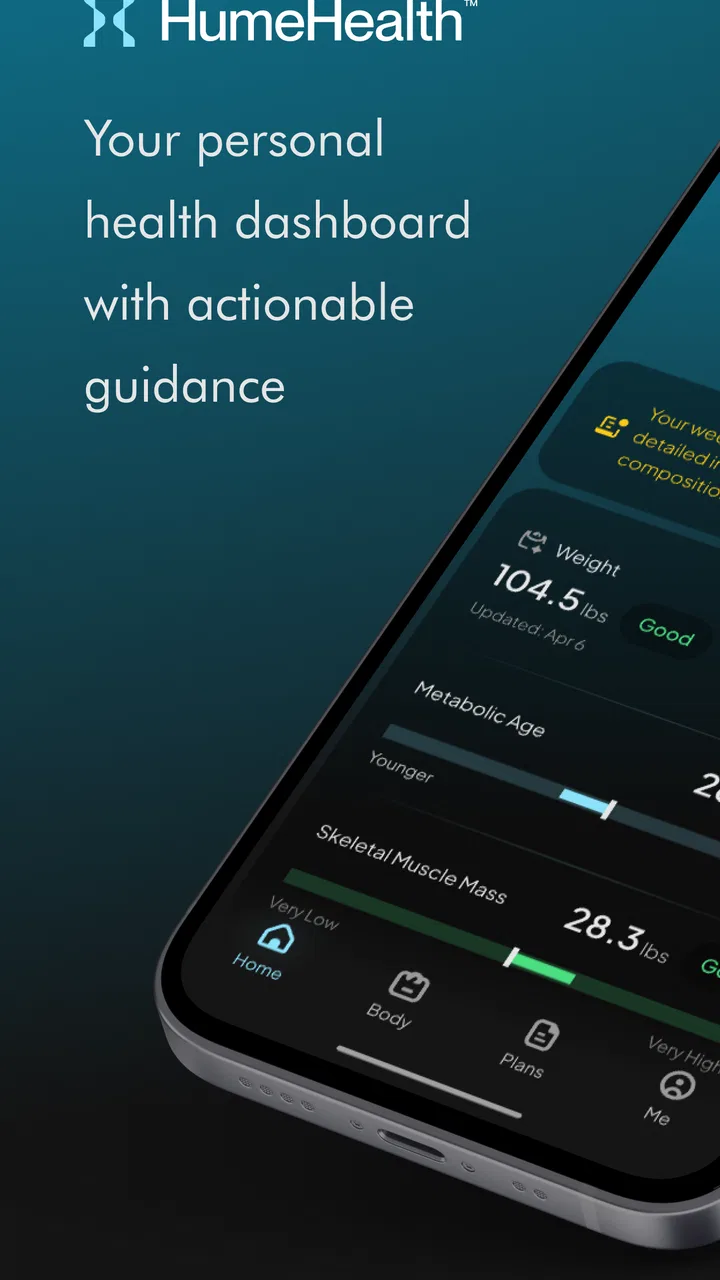
Hume Health
- 4.3
- Rating
- 1.00M
- Installs
- Free
- Price

 Analysis by App-foxy
I approached Hume Health as a companion rather than a complete health platform. It is a free Tools app from Hume Health Corp, designed to work with the Hume Band and Hume Body Pod while bringing weight and longevity-related information into one place. That focus makes it more specific than a general fitness diary, but it also means the experience depends heavily on the connected hardware and on getting the setup process right.
My overall impression is that the app is most useful for someone who wants a regular routine around body tracking, not someone looking for a standalone source of health advice. The interface has a clear purpose: connect the relevant Hume device, review the information it supplies, and use that information to notice changes over time. If you already own compatible Hume hardware, the app gives that equipment a practical home. If you do not, its value is much more limited.
Where the experience usually gets stuck
The first point I would explain to a friend is that Hume Health is not a conventional app that becomes fully useful immediately after installation. Its central role is as a companion to the Hume Band and Hume Body Pod. That creates a dependency: a problem that looks like an app failure may actually come from the device, the phone connection, the account flow, or the timing of a measurement.
You May Also Like

 Blood Strike: 2.5 Anniversary
Blood Strike’s Loadouts Turn Every Drop Into a Tactical Gamble
A close look at Blood Strike’s custom loadouts: how fast access to signature weapons reshapes its battle royale rhythm, rewards preparation, and narrows the gap between fights.

 Pandora - Music & Podcasts
Pandora’s Music Is Easy to Start, but Harder to Recover
Pandora’s strength is its low-effort path from a seed to a station. Its weak spot is how much confidence it asks you to place in connection, setup, and quiet recovery.

 8 Ball Pool
 Is Built on Rivalries, Rematches, and Routine
A close look at the rivalries, rematches, shared routines, and unanswered safety questions that turn a quick pool match into a persistent mobile community.

 Samsung Music
’s Quiet Strength Is Playing What You Already Own
Its reach comes less from spectacle than from dependable access to a personal library. That simplicity is both the app’s strongest retention engine and its ceiling.

 AccuWeather: Weather Radar
AccuWeather Review: A Quick, Clear Forecast for Everyday Decisions
For everyday plans, the best forecast is the one you can understand quickly. AccuWeather makes rain timing, radar, and local conditions easy to act on, with a few trade-offs.

 Hill Climb Racing
Why Hill Climb Racing Still Turns Crashes Into One More Run
A tiny car, a bumpy hill and one more upgrade: Hill Climb Racing keeps resurfacing because its simple chaos makes every near-miss feel personal.
More From Our News Desk



This matters because people often expect a health app to start producing useful content as soon as it opens. Here, the meaningful part of the experience begins only after the connected product is recognized and information can move into the app. A blank screen, a missing recent result, or an apparently unfinished profile can therefore feel more serious than it is. I found it more helpful to treat the app as one part of a chain instead of judging it in isolation.
The most common friction is likely to happen around first-time pairing and the first successful sync. A user may install the app, sign in, place the device nearby, and still not see an immediate update. Repeating taps in the app is rarely the best first response. I would instead pause and check the basics: the accessory is charged, the phone is close, the correct Hume product is being used, and the app is open long enough for the connection process to complete.
Another easy mistake is expecting every piece of information to refresh at exactly the same moment. A device can complete a reading while the app is still waiting to receive it. Closing the app too quickly can make a normal delay look like a failed measurement. My practical advice is to give one sync attempt time to finish before starting another. Several overlapping attempts can make it harder to tell whether the issue is the hardware or the app.
There is also a difference between seeing a device listed and seeing useful history. Pairing establishes a relationship, but it does not automatically make a long record appear. Someone moving from another health tool should not assume that previous entries will simply be recreated inside Hume Health. The sensible approach is to begin with a clean baseline and watch how the app behaves over several normal uses.
That baseline is especially important for weight-related tracking. A single result can be affected by ordinary changes in timing, clothing, hydration, or routine. The app may help organize readings, but it cannot turn an irregular measuring habit into a reliable trend. I would use it at roughly consistent times and under similar conditions, then judge the direction over time rather than reacting to one unexpected value.
The app has a 3.9 average from around 16 thousand ratings, with roughly 3.5 thousand written reviews. Those figures suggest a mixed but substantial user experience rather than universal approval. I read that as a reason to keep expectations realistic: the concept is useful, while the quality of the day-to-day experience can depend on the phone, the accessory, and the user’s setup discipline.
What to check before blaming the software
My setup routine would be deliberately simple. I would start with the Hume hardware close to the phone, make sure it has enough power for a connection attempt, and confirm that I am working with the product I actually intend to use. The Band and Body Pod are related products, but they are not interchangeable objects, so selecting the wrong path during setup can create confusion before any technical fault exists.
I would also avoid trying to configure the system while moving between several phones or accounts. A health record is easier to understand when one device and one account are used consistently during the initial setup. If a family member’s phone is nearby, or if several Bluetooth accessories are active, I would temporarily simplify the environment and retry rather than changing multiple settings at once.
When the app does not show a recent result, I would first check whether the measurement itself completed. A device that was not positioned correctly, was moved too quickly, or did not finish its own process cannot provide the app with a complete record. The distinction is useful: if the hardware never completed the reading, reinstalling the app is unlikely to help.
It is also worth checking whether the phone is running a supported system. The Android version listed for the app is 8.0 or later, so an older Android phone is not a sensible place to troubleshoot a missing feature or an unstable installation. On a supported device, I would close other demanding apps, reopen Hume Health, and try one clean sync. These are modest steps, but they remove several avoidable variables.
Permissions and connection prompts deserve attention too. I would read each prompt rather than dismissing it automatically, because a companion app cannot communicate properly if the phone blocks the relevant connection or device access. I would not grant unrelated access casually, but I would make sure the permissions directly connected with the Hume hardware are not being rejected by habit.
One non-obvious habit that can save time is recording the exact moment a problem occurs. I would note whether the failure happens during pairing, immediately after a measurement, while opening history, or after leaving the app in the background. Those are different situations. A connection problem needs a different response from a display problem, and a delayed update is different again from a device that never completed its reading.
The current version is 9.14.1, which is useful context when comparing behavior across phones. I would update the app through the normal store process before doing anything more disruptive, but I would not assume that an update alone fixes every problem. If the accessory is out of power or the phone is not receiving the connection, a newer app build cannot replace those missing conditions.
A calmer way to recover a broken workflow
When a session goes wrong, I prefer a reset that changes one thing at a time. First I would stop the measurement or pairing attempt, move the hardware close to the phone, and reopen the app. Then I would perform one fresh attempt and wait for a clear result. If that fails, I would restart the phone before removing anything from the account. This preserves a useful sequence of checks instead of erasing the evidence of what happened.
I would be cautious about reinstalling immediately. Reinstallation can be reasonable when an app will not open or a local installation appears damaged, but it is a poor first response to a missing reading. Before taking that step, I would make sure I know the account details needed to return to the same Hume Health profile. A health-tracking routine is more valuable when its history remains associated with the right account.
If a reading appears late, I would avoid taking several replacement readings just to force the app to respond. That can create a confusing cluster of entries and make the trend less representative of the normal routine. One clean attempt, followed by patience, is often more informative than repeatedly measuring under frustration.
For a household workflow, I would keep the process personal and consistent. Each person should use the intended account and device arrangement rather than treating the app like a shared generic scale log. Mixing users or switching accessories without checking the active profile can make a technically successful sync look wrong because the result is attached to the wrong context.
The same principle applies when reviewing longevity-related information. I would use the app as a way to observe patterns and support conversations with a qualified professional, not as a diagnostic authority. A change in an app display should not be used on its own to make a medical decision. If a result is worrying, persistent, or inconsistent with how I feel, I would seek appropriate medical advice instead of trying to solve the concern through repeated app refreshes.
A useful advanced workflow is to separate collection from interpretation. I would first make sure the Band or Body Pod can complete its normal task, then check whether Hume Health receives and displays the result, and only after that consider what the pattern might mean. This three-step separation prevents a technical sync issue from being mistaken for a personal health change.
I would also avoid judging the app after one rushed morning. A companion tool becomes more useful when it supports a repeatable habit. For example, I might choose a consistent time before breakfast, keep the phone nearby, allow the app to finish syncing, and review changes later rather than making decisions in the middle of the measurement. That workflow reduces noise and makes the app feel less demanding.
When the app is not the real cause
Some frustrations belong to the surrounding situation rather than to Hume Health itself. A phone with an aging battery, unstable wireless behavior, limited free space, or an outdated operating system can make any connected-device app feel unreliable. If other accessories also disconnect or other apps behave strangely, I would investigate the phone before concluding that Hume Health is at fault.
The physical environment can matter as well. Distance, interference from nearby electronics, and a device that is not ready to communicate can all interrupt a sync. I would test in a quiet, predictable location before making more serious changes. That is particularly important when the app works once and then appears inconsistent; intermittent behavior often points to the connection conditions rather than the screen itself.
There is a separate limitation that no troubleshooting can remove: the app is tied to Hume hardware. A person who wants to type weight entries manually, combine many unrelated trackers, or use a broad exercise platform may prefer a more general health app. Hume Health is better suited to someone who has chosen the Hume ecosystem and wants its companion experience, not to someone comparing standalone logging tools.
It is also not the right choice for someone who wants a complete coaching program without buying or using the associated devices. The free download is attractive, but the central experience is not simply a collection of independent tools. The app’s usefulness rises with the hardware relationship, so I would decide on the whole setup rather than treating the download as a full substitute for it.
Cost is another practical consideration. The app itself is free, while in-app purchases are listed from $9.99 to $109.99 per item. I would check the purchase screen carefully and decide whether the paid elements match my intended routine before committing. For a casual user who only wants occasional weight notes, a simpler manual tracker may be easier to justify. For someone already invested in Hume devices, the additional options may fit more naturally into the overall setup.
The Everyone content rating makes the app broadly approachable, but that should not be confused with medical suitability for every situation. The age label describes the app’s content, not the quality of a person’s health interpretation. I would still treat personal results thoughtfully and avoid using the app to replace professional assessment.
Compared with a basic notes app, Hume Health should offer a more connected workflow when the Hume Band or Body Pod is working properly. Compared with a broad fitness platform, it is narrower and more focused on its own ecosystem. That trade-off is the key comparison: general apps offer flexibility, while Hume Health offers a more direct relationship with Hume hardware. Neither approach is automatically better; the right choice depends on whether the device connection is central to what I want.
Who will get the most from it
I would recommend Hume Health to a user who likes structured tracking and is willing to build a repeatable measurement routine. It makes sense for someone who wants weight and longevity-related information collected around Hume products rather than scattered across notes, spreadsheets, and unrelated apps. The strongest benefit is continuity: the app gives the hardware a place where results can be reviewed instead of leaving each measurement as an isolated event.
A realistic everyday scenario would be a person who checks in before starting work. The Hume device is kept near the phone, the measurement is completed without rushing, and the app is left open until the result appears. Later in the week, that person reviews the pattern instead of reacting to the most recent number. In this situation, Hume Health is doing something useful without needing to become the user’s entire fitness life.
I would be less enthusiastic for someone who wants detailed workout programming, a large social community, or a single dashboard for equipment from many brands. I would also steer away from it if the person dislikes troubleshooting wireless accessories or has no interest in maintaining a consistent measurement routine. The app can organize a process, but it cannot remove the small responsibilities that come with connected hardware.
One of its better qualities is that it encourages a more deliberate relationship with measurements. The app is not most valuable when opened repeatedly in search of instant reassurance. It is more useful when treated as a record that supports observation over time. That may sound simple, but it changes how I would use it: fewer impulsive checks, more consistent collection, and more careful interpretation.
Hume Health has been available since September 30, 2019, and its current Android release is 9.14.1. It has passed over 500 thousand installs, so this is not an obscure experiment with no established audience. Still, popularity does not remove the central trade-off. The experience remains dependent on compatible Hume hardware and on a setup that lets the phone and device communicate reliably.
My final recommendation is therefore conditional but positive. If you own the Hume Band or Hume Body Pod, I think this app is worth trying as the main place to manage the resulting information. Start slowly, establish one consistent workflow, and troubleshoot the connection before assuming the app has lost your data. If you are only looking for a free, standalone health log, I would choose a broader alternative instead.
The practical verdict is simple: Hume Health works best when treated as the control center for Hume hardware, not as a universal health app. Its free entry point, Everyone rating, and focused purpose make it approachable, while the device dependency, paid items, and occasional setup friction require realistic expectations. I would recommend it to a patient, consistency-minded user who wants to follow personal trends; I would skip it for anyone seeking an all-in-one fitness platform without connected Hume products.
FAQs for Hume Health
01What features does the Hume Health app offer?
Hume Health provides a comprehensive suite of features designed to enhance your well-being. It includes personalized health assessments, daily wellness tips, fitness tracking, and mental health resources. The app also offers integration with wearable devices to track your progress and support your journey towards a healthier lifestyle.
02Is the Hume Health app compatible with all devices?
Hume Health is designed for both Android and iOS platforms, ensuring compatibility with a wide range of smartphones and tablets. However, for optimal performance, it is recommended to use devices running the latest operating systems. Be sure to check the app's system requirements on the respective app store before downloading.
03Does Hume Health require a subscription?
While Hume Health offers a free version with basic features, there is also a premium subscription available. The premium plan provides access to advanced features such as in-depth health analytics, personalized coaching, and exclusive content. Users can choose a monthly or annual subscription based on their needs.
04How does Hume Health protect my personal data?
Hume Health takes user privacy seriously, implementing robust security measures to protect your data. The app uses encryption to secure information and complies with relevant data protection regulations. Users have control over their data, with options to manage privacy settings directly within the app.
05Can Hume Health be used offline?
While some features of Hume Health require an internet connection, the app does offer offline functionality for certain aspects. Users can access previously downloaded content, track workouts, and log daily health activities without needing to be online. However, syncing data will require internet access.
Pros
- User-friendly interface enhances usability.
- Comprehensive health tracking features.
- Offers personalized health insights.
- Seamless integration with fitness devices.
- Regular updates with new features.
Cons
- Limited free version features available.
- Requires constant internet connection.
- Some data syncing issues reported.
- Occasional slow loading times.
- In-app purchases can be pricey.

Hume Health
Gallery